
Night Vision Camera for Your Chartplotter: Compatibility by Model
Your Nitron camera plugs into your chartplotter's video input: analog (BNC or RCA) or HDMI. Pick your display to see which version to order and whether you need any other cable. This chart covers 241 display models from the last 10 years.
Not sure of your model? Text a photo of your helm to 941-408-5516 and we will tell you.
What comes in the box
The harness ends in a standard connector that matches the version you order: BNC (coax) for Analog or HDMI for HDMI. Every camera also includes a BNC to RCA adapter, so displays with an RCA video jack are covered.
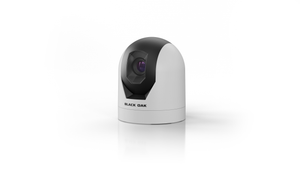

Every camera also includes stainless mounting screws. The XD Pro adds a 5 A inline fuse, an anodized aluminum mount and dielectric grease.
How to check your display in 30 seconds
- 1Find your modelIt is printed on the display bezel or in the settings menu (About or System Info).
- 2Read the video inputPick your brand and model above. You will see BNC (analog), HDMI, both, or no camera input.
- 3Order the matching versionChoose the Nitron XR1 or XD Pro in the Analog or HDMI version, and add the display maker's cable if your model needs one.
Which video port does your display have?
Which night vision camera is best for my chartplotter?
Both Nitron cameras connect the same way, so the choice comes down to where you run. Inshore and coastal, the XR1 is the popular pick. Far offshore on the darkest nights, the XD Pro has the more sensitive sensor and a wider view. Add an IR light to either camera for runs with no ambient light.
 Nitron XR1Inshore and coastal. 42 degree view, 1080 video.
 Nitron XD ProFar offshore. 50 degree view, video up to 4K.
Compare every marine night vision camera system and IR package
Camera inputs by brand at a glance
Most current saltwater displays take a camera. Many freshwater units do not. Tap a brand to jump to its models.
Saltwater chartplotters and MFDs
Jump to: GarminSimradRaymarineFurunoB&G
Garmin
66 models
| Series and models | Video input | Order | Extra cable or adapter? | Notes |
|---|---|---|---|---|
GPSMAP 9000 series, 19 to 27 in
|
Analog or HDMI | Analog or HDMI version | No extra cable. Analog version: BNC into the CVBS IN port. HDMI version: either of the two HDMI IN ports. | The 9200 numbers have the same connections as the 9000 numbers. |
GPSMAP 9000 series, 10 to 17 in
|
Analog or HDMI | Analog or HDMI version | No extra cable. Analog version: BNC into the CVBS IN port. HDMI version: HDMI into the HDMI IN port. | |
GPSMAP 9500 black box
|
Analog or HDMI | Analog or HDMI version | No extra cable. Analog version: BNC into CVBS IN. HDMI version: either HDMI IN port. | A black box drives a separate monitor. |
GPSMAP 8400 and 8600 series
|
Analog or HDMI | Analog or HDMI version | No extra cable. Analog version: BNC into the CVBS IN port. HDMI version: HDMI into the HDMI IN port. | |
GPSMAP 8417 to 8624 series
|
Analog or HDMI | Analog or HDMI version | No extra cable. Analog version: BNC into the CVBS IN port. HDMI version: HDMI into the HDMI IN port. | |
GPSMAP 8700 black box
|
Analog or HDMI | Analog or HDMI version | No extra cable. Analog version: BNC into the CVBS IN port. HDMI version: HDMI into the HDMI IN port. | A black box drives a separate monitor. |
GPSMAP 8000 Glass Helm
|
Analog | Analog version | No extra cable. The camera's BNC plugs straight into the CVBS IN (video in) port on the back of the display. | The 8215 also has a DVI video input, which is not an HDMI input. Order the Analog version. |
GPSMAP 7400 and 7600 series
|
Analog | Analog version | No extra cable. The camera's BNC plugs straight into the VIDEO or CVBS IN port. | No HDMI input on this series. |
GPSMAP x3 series
|
Analog | Analog version | No extra cable. The camera's BNC plugs straight into the CVBS IN (video in) port on the back of the display. | The 1223, 1243xsv, 1623 and 1643xsv have an HDMI port, but it only sends video out. It cannot take a camera, so order the Analog version. |
GPSMAP x2 Touch and Plus series
|
Analog | Analog version | No extra cable. The camera's BNC plugs straight into the CVBS IN (video in) port on the back of the display. | The 12 inch units have an HDMI port that only sends video out. Order the Analog version. |
GPSMAP x2 keyed series
|
Analog | Analog version | No extra cable. The camera's BNC plugs straight into the CVBS IN (video in) port on the back of the display. |
Simrad
34 models
| Series and models | Video input | Order | Extra cable or adapter? | Notes |
|---|---|---|---|---|
NSS evo3S
|
Analog | Analog version | Yes. Add the Simrad video/data cable, part 000-00129-001. It ends in RCA plugs, so use the BNC to RCA adapter in our box. | The 12 and 16 inch units have HDMI out only. They cannot take the HDMI camera. |
NSS evo3
|
Analog | Analog version | Yes. Add the Simrad video/data cable, part 000-00129-001. It ends in RCA plugs, so use the BNC to RCA adapter in our box. | The 12 and 16 inch units have HDMI out only. They cannot take the HDMI camera. |
NSS evo2, 7 and 9 in
|
Analog | Analog version | Yes. Add the Simrad video/data cable, part 000-00129-001. It ends in RCA plugs, so use the BNC to RCA adapter in our box. | |
NSS evo2, 12 and 16 in
|
Call to confirm | Text us a photo first | We have not confirmed this one from the maker's documents. Text a photo of the back of your display to 941-408-5516 and we will tell you exactly what you need. | |
NSS 4
|
HDMI | HDMI version | No extra cable. The camera's HDMI plugs into the display's HDMI input. | No analog video input. Order the HDMI version. |
NSO evo3S displays
|
Analog or HDMI | Analog or HDMI version | No extra cable. Analog version: BNC into either video input. HDMI version: HDMI into the HDMI input. | |
NSO evo3S 24 display
|
Call to confirm | Text us a photo first | We have not confirmed this one from the maker's documents. Text a photo of the back of your display to 941-408-5516 and we will tell you exactly what you need. | |
NSO evo3S MPU (Glass Helm processor)
|
Analog | Analog version | No extra cable. The camera's BNC plugs straight into a video input on the processor. | The processor box has HDMI out only. The HDMI input is on the NSO evo3S displays. |
NSO evo3 displays
|
Analog or HDMI | Analog or HDMI version | No extra cable. Analog version: BNC into either video input. HDMI version: HDMI into the HDMI input. | |
NSO evo2 MPU
|
Analog | Analog version | No extra cable. The camera's BNC plugs straight into a video input on the processor. | HDMI port is output only. |
NSX
|
No camera input | Not compatible | Not compatible. This display only takes network (IP) cameras over Ethernet. Our cameras send analog or HDMI video. | |
GO and Cruise
|
No camera input | Not compatible | This display has no camera video input, so no analog or HDMI camera can show on it. |
Raymarine
52 models
| Series and models | Video input | Order | Extra cable or adapter? | Notes |
|---|---|---|---|---|
Axiom 2 XL
|
Analog or HDMI | Analog or HDMI version | No extra cable for one camera. Analog: BNC on the supplied power cable. HDMI: the HDMI input. A second analog camera uses Raymarine cable A80235. | |
Axiom XL
|
Analog or HDMI | Analog or HDMI version | No extra cable. Analog: BNC on the supplied power cable. HDMI: the HDMI input. | |
Axiom 2 Pro
|
Analog | Analog version | No extra cable. Use the BNC video plug on the display's supplied power cable. | The HDMI port only sends video out. Order the Analog version. |
Axiom Pro
|
Analog | Analog version | No extra cable. Use the BNC video plug on the display's supplied power cable. | |
eS 9 and 12 in
|
Analog | Analog version | No extra cable. Use the BNC video plug on the display's supplied power cable. | HDMI port is output only. |
eS 7 in
|
Analog | Analog version | Analog input on Raymarine's Video In cable, part R70414. Text us a photo and we will confirm the plug. | |
gS series
|
Analog | Analog version | No extra cable. Use the BNC video plug on the display's supplied power cable. | HDMI port is output only. |
c Series and e Series
|
Analog | Analog version | No extra cable. Use the BNC video plug on the display's supplied power cable. | |
Axiom, Axiom+, Axiom 2 and Element
|
No camera input | Not compatible | This display has no camera video input, so no analog or HDMI camera can show on it. |
Furuno
21 models
| Series and models | Video input | Order | Extra cable or adapter? | Notes |
|---|---|---|---|---|
TZtouch3, 16 and 19 in
|
Analog or HDMI | Analog or HDMI version | HDMI version: no extra cable, HDMI into the HDMI input. Analog version: the BNC to RCA adapter in our box covers the RCA video input. | HDMI video shows on that display only. It is not shared over the network. |
TZtouch3, 12 in
|
Analog | Analog version | The BNC to RCA adapter in our box covers the RCA video input. No other cable. | HDMI port is output only. |
TZtouch3, 9 in
|
No camera input | Not compatible | This display has no camera video input, so no analog or HDMI camera can show on it. | |
TZtouchXL, 16 to 24 in
|
Analog or HDMI | Analog or HDMI version | HDMI version: no extra cable, HDMI into the HDMI input. Analog version: text us a photo and we will confirm the plug. | HDMI input takes up to 1080p. |
TZtouchXL, 10 and 13 in
|
Analog | Analog version | Analog video input. Text us a photo and we will confirm the plug. | No HDMI input on these sizes. |
TZtouchXL black box
|
Analog or HDMI | Analog or HDMI version | HDMI version: no extra cable. Analog version: through Furuno's optional MULTI cable, which ends in RCA. | |
TZtouch2
|
Analog | Analog version | The BNC to RCA adapter in our box covers the RCA video inputs. | HDMI port is output only. |
TZtouch2 black box
|
HDMI | HDMI version | No extra cable. The camera's HDMI plugs into the display's HDMI input. | Its analog inputs are PAL only, so order the HDMI version. |
NavNet TZtouch
|
Analog | Analog version | Analog video inputs. Text us a photo and we will confirm the plug. | |
NavNet 3D
|
Analog | Analog version | MFD8 and MFD12: the BNC to RCA adapter in our box covers the RCA inputs. MFDBB: BNC inputs, no adapter needed. | |
GP chartplotters
|
No camera input | Not compatible | This display has no camera video input, so no analog or HDMI camera can show on it. |
B&G
20 models
| Series and models | Video input | Order | Extra cable or adapter? | Notes |
|---|---|---|---|---|
Zeus3S Glass Helm displays
|
Analog or HDMI | Analog or HDMI version | No extra cable. Analog version: BNC into a video input. HDMI version: HDMI into the HDMI input. | |
Zeus3S Glass Helm 24
|
Call to confirm | Text us a photo first | We have not confirmed this one from the maker's documents. Text a photo of the back of your display to 941-408-5516 and we will tell you exactly what you need. | |
Zeus3S Glass Helm MPU
|
Analog | Analog version | No extra cable. The camera's BNC plugs straight into a video input on the processor. | HDMI is output only on the processor. |
Zeus3S
|
Analog | Analog version | Yes. Add the video/data cable, part 000-00129-001 (the same cable Simrad uses). It ends in RCA, so use the BNC to RCA adapter in our box. | The 16 inch unit has HDMI out only. |
Zeus3, 7 in
|
Analog | Analog version | Analog RCA video input. Use the BNC to RCA adapter in our box. Text us a photo and we will confirm whether you need B&G's video/data cable. | |
Zeus3, 9 to 16 in
|
Call to confirm | Text us a photo first | We have not confirmed this one from the maker's documents. Text a photo of the back of your display to 941-408-5516 and we will tell you exactly what you need. | |
Zeus SR
|
HDMI | HDMI version | No extra cable. The camera's HDMI plugs into the display's HDMI input. | No analog video input. Order the HDMI version. |
Zeus S and Vulcan
|
No camera input | Not compatible | Not compatible. Zeus S takes network (IP) cameras only, and Vulcan has no video input. |
Freshwater and inshore fish finders
Jump to: LowranceHumminbirdGarmin ECHOMAP
Garmin ECHOMAP
6 models
| Series and models | Video input | Order | Extra cable or adapter? | Notes |
|---|---|---|---|---|
ECHOMAP (all lines)
|
No camera input | Not compatible | This display has no camera video input, so no analog or HDMI camera can show on it. |
Lowrance
26 models
| Series and models | Video input | Order | Extra cable or adapter? | Notes |
|---|---|---|---|---|
HDS PRO, 12 and 16 in
|
Analog or HDMI | Analog or HDMI version | HDMI version: no extra cable, HDMI into the HDMI input. Analog version: add the Lowrance Video Adapter Cable, part 000-11010-001, and use the BNC to RCA adapter in our box. | |
HDS PRO, 9 and 10 in
|
Analog | Analog version | Yes. Add the Lowrance Video Adapter Cable, part 000-11010-001. It plugs into the display's power and video connector and ends in an RCA jack, so use the BNC to RCA adapter in our box. | No HDMI input on these sizes. |
HDS LIVE, 12 and 16 in
|
Analog or HDMI | Analog or HDMI version | HDMI version: no extra cable, HDMI into the HDMI input. Analog version: add the Lowrance Video Adapter Cable, part 000-11010-001, and use the BNC to RCA adapter in our box. | |
HDS LIVE, 7 and 9 in
|
Analog | Analog version | Yes. Add the Lowrance Video Adapter Cable, part 000-11010-001. It plugs into the display's power and video connector and ends in an RCA jack, so use the BNC to RCA adapter in our box. | HDMI input is on the 12 and 16 inch sizes only. |
HDS Carbon
|
Analog | Analog version | Yes. Add the Lowrance Video Adapter Cable, part 000-11010-001. It plugs into the display's power and video connector and ends in an RCA jack, so use the BNC to RCA adapter in our box. | |
HDS Gen3
|
Analog | Analog version | Yes. Add the Lowrance Video Adapter Cable, part 000-11010-001. It plugs into the display's power and video connector and ends in an RCA jack, so use the BNC to RCA adapter in our box. | |
HDS Gen2 Touch, 9 and 12 in
|
Analog | Analog version | Yes. Add the Lowrance Video Adapter Cable, part 000-11010-001. It plugs into the display's power and video connector and ends in an RCA jack, so use the BNC to RCA adapter in our box. | |
HDS Gen2 Touch, 7 in
|
No camera input | Not compatible | This display has no camera video input, so no analog or HDMI camera can show on it. | Video is on the 9 and 12 inch sizes only. |
Elite, HOOK and Eagle
|
No camera input | Not compatible | This display has no camera video input, so no analog or HDMI camera can show on it. |
Humminbird
16 models
| Series and models | Video input | Order | Extra cable or adapter? | Notes |
|---|---|---|---|---|
APEX
|
HDMI | HDMI version | Yes. APEX takes HDMI through the Humminbird AD HDMI IN 10 cable, part 720119-1. Order our HDMI version. | No analog input. APEX accepts HDMI video up to 1080p. |
SOLIX, HELIX and XPLORE
|
No camera input | Not compatible | This display has no camera video input, so no analog or HDMI camera can show on it. |
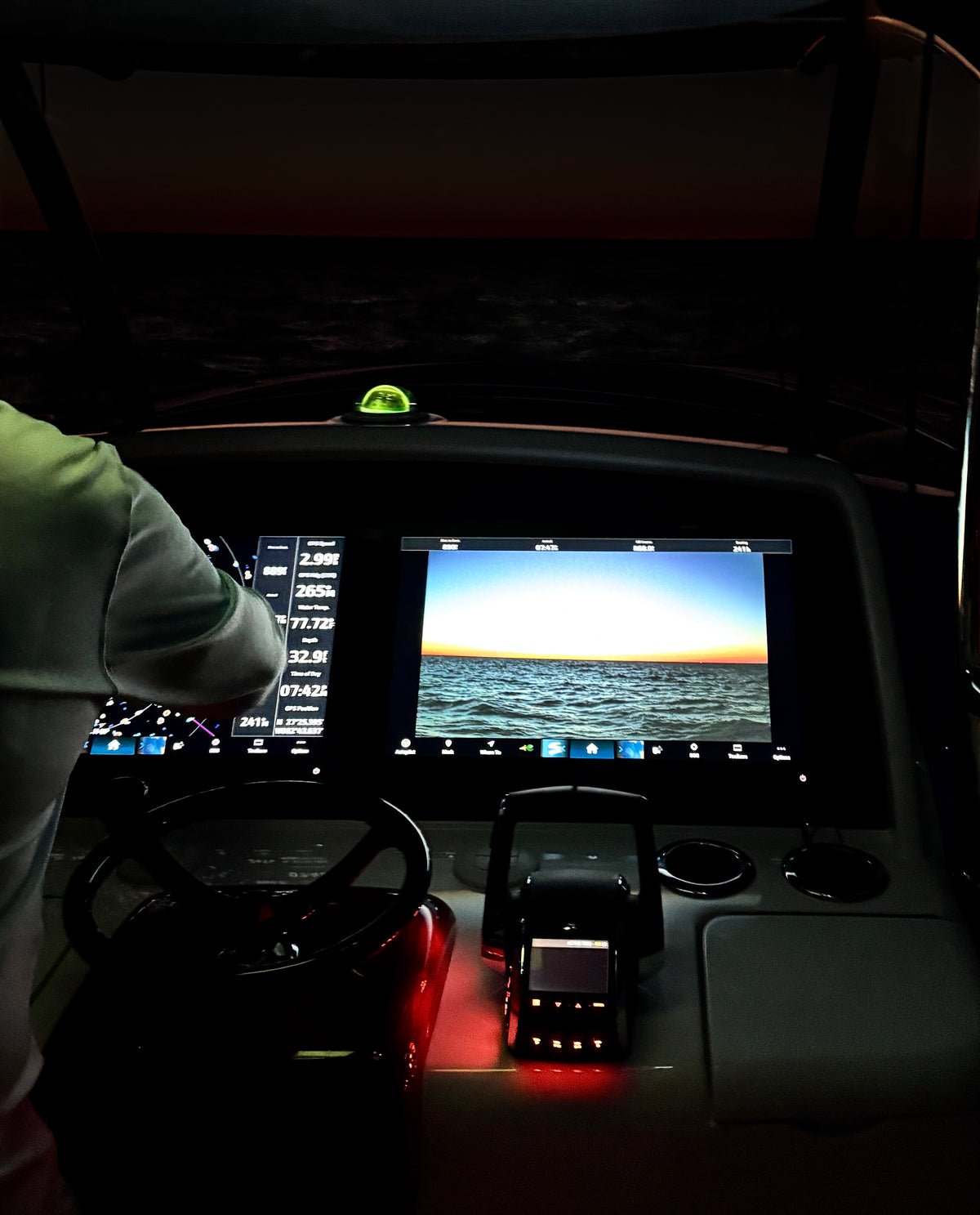
See the Nitron on a chartplotter
Nitron XR1
Nitron XD Pro
Compatibility questions
What is the best night vision camera for my chartplotter?
What comes in the box with a Nitron camera?
Do I need any other adapters, connections or cables?
How do I know if I need the Analog or HDMI camera?
My display has an HDMI port. Why does the chart say Analog?
Does the Simrad NSO evo3S take the HDMI camera?
My display is not listed. What do I do?
Will a Nitron camera work with a network or IP camera input?
Can I see the camera on more than one display?
I am mounting the camera upside down under a T-top. Will the picture be right side up?
Garmin, Simrad, Lowrance, Raymarine, Furuno, B&G and Humminbird are trademarks of their respective owners. Black Oak LED is not affiliated with or endorsed by these manufacturers. Model information is based on each maker's published manuals and specifications as of October 2026.
